I am a Machine Learning Research Engineer specializing in reinforcement learning. With a strong foundation in computer science and engineering, I have experience designing and implementing AI solutions for dynamic environments, including aerospace and defense. My technical expertise spans Python, PyTorch, TensorFlow, Unity, and AWS, which I leverage to create cutting-edge applications and open-source contributions. I’m passionate about solving complex problems, advancing AI research, and building impactful software solutions.
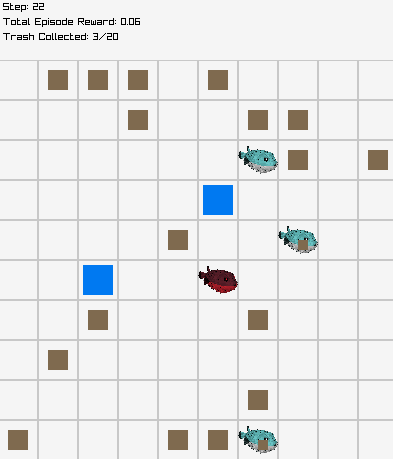
Part of PufferLib's "Ocean" suite, this is high-performance multi-agent reinforcement learning environment is created in C with Cython bindings to be able to train RL models in python. With PufferLib, thousands of instances of this environment can simultaneously be spun up to achieve exceptional simulation speed (~500,000 steps/second on standard at-home hardware), enabling rapid experimentation. Designed the environment with extensive configurability, supporting variations in size, number of agents, and task complexity to suit diverse research needs.
RPG Character Team Learns to Defeat Dragon Boss With Machine Learning (Part 1)
(Part 2)
This Unity Project is a loose recreation of a boss battle you see in most MMORPG style games, a team of 5 characters controlled by a reinforcement learning based AI must figure out how to defeat the dragon boss, and then do so in as little time as possible.
Results from this project were astounding, the AI not only learned how to defeat the boss, but how to take advantage of certain exploitive game mechanics to do this in a very small amount of time.
Through the AI, I was able to identify these exploitive techniques and fix them. The AI was then trained again and it adopted a new strategy to defeat the dragon.
Primitive Survival Environment for Reinforcement Learning
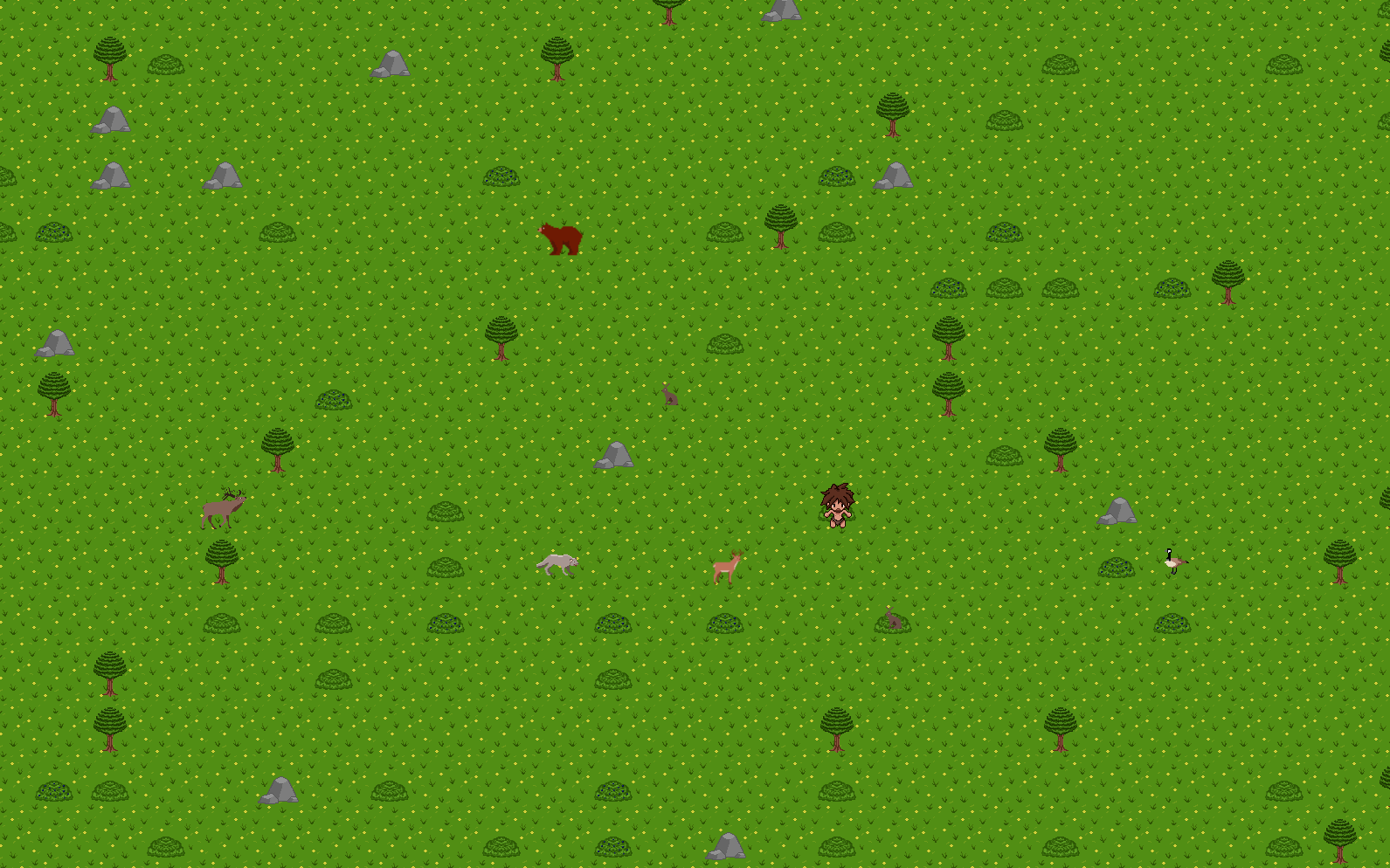
A reinforcement learning environment where the goal is to have an agent learn to survive in a harsh stone-era inspired environment. Starting with no food, equipment, or even knowledge of how the world works; the agent must learn to find food, craft equipment, and fend off hostile animals in order to survive.
The environment was created in C++ through the Simple DirectMedia Layer 2.0 (SDL2) library. Shared interprocess memory is used to communicate between the environment and with a Python client script which preproccess the data before being sent to a Python server script which handles the training of the agent. These python scripts utilize Ray's RLlib: Industry-Grade Reinforcement Learning library to support easy use of a wide range of RL algorithms with exceptional performance.
The AI of the animals in the environment utilize a Finite State Machine to control their behavior. Hostile animals utilize A* pathfinding to navigate towards the agent, while passive animals use it to navigate away from the agent.
Electric Turbine Design with Genetic Algorithm
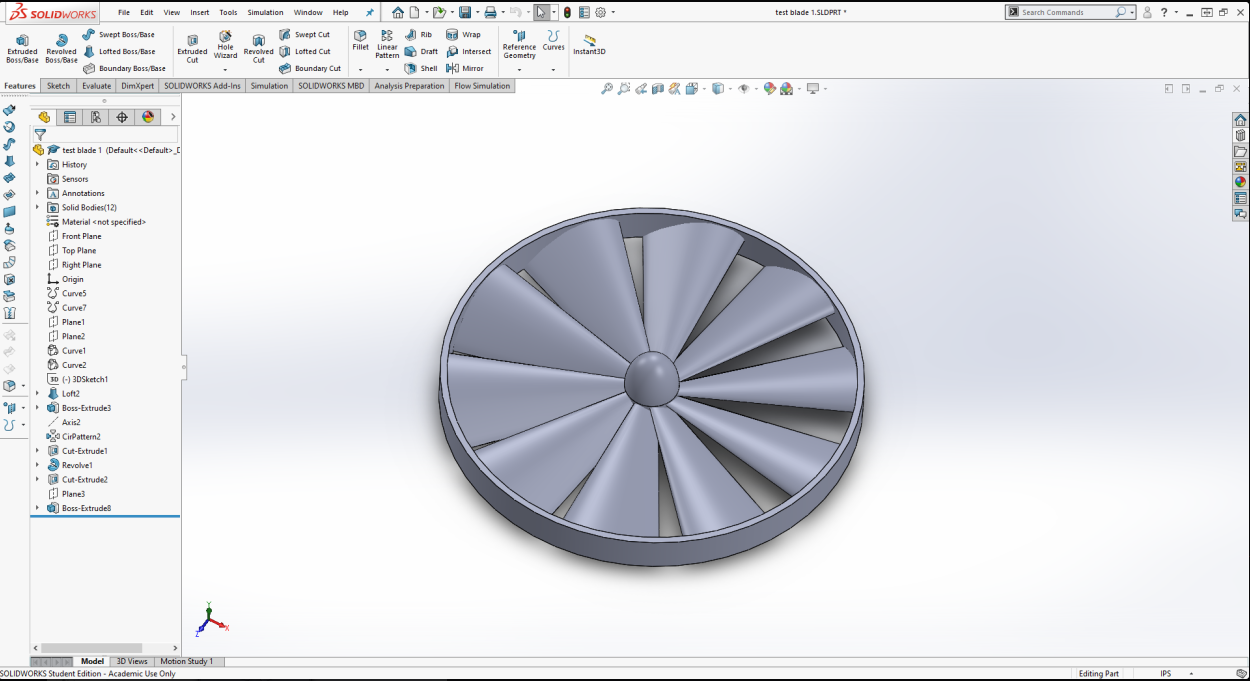
My friend Landon who is a Mechanical Engineering Major (with an Aerospace specialization) came to me asking for my help for a project he was working on. He was building a fixed-wing drone with VTOL capabilites, and needed to know the best parameters for his electric turbine engine such as diameter, the number of blades, and the angles of the blades at the root and at the tip to produce the maximum amount of thrust without exceeding a certain amount of torque. He knew of my expertise with genetic algorithms and asked if it was possible to help, and of course I did.
We called over Discord and shared our screens and went to work. I described to him the process by which the algorithm works, and he walked me through how to perform all the math for calculating the thrust and torque given our parameters. The code got a lil messy in some places, but I cleaned it up quite a bit, and he has his own notes and he says he understands it, so thats good enough for me I suppose.
The algorithm seemed to confirm some fairly obvious stuff such as maximizing the diameter and the size and number of blades will produce the most thrust, however the angles at the tip and end of the blades varied quite a bit depending on the other inputs. Landon wanted to adjust the range of the inputs quite a bit as he realized some of his initial range wasn't practical, which was very to switch out since the code was structured neatly and range of the parameters was easily set in a "Limits" class file.
His initial goal was 2.5 lbs of force, and the algorithm was able to find a set of parameters that produced 2.99 lbs of force. Overall the algorithm was a huge success, he can easily switch out the parameters on his own to play around with.
This program uses a genetic algorithm and a simple neural network to teach itself how to play. The 'Birds' are initalized with a bunch of random weights in their network, they gain 'fitness' by staying alive and going through the pipes. Once all the Birds die, the genetic algorithm randomly (weighted) picks two of them based upon their fitness. Their weights are combined to make a new 'child', and this child's weights have a small chance of mutating slightly. This process is repeated until the new population is full, and then the new population replaces the old one, and the whole cycle repeats. The "Best Bird" (described below) is always added to each new population without any modification to its weights.
The neural network class I designed for this project has no hidden nodes, and therefore consist simply of just an input layer and a single output node. The input layer consists of four inputs (position in x of Bird, position in y of Bird, position of closest pipe, y coordinate of the 'hole' in the closest pipe), and the output node determines if the Bird should jump.
A self-learning AI that teaches itself how to navigate a randomly generated complex environment quickly by utilizing multi-threading.
Each of the agents that I call 'Climbers' have a simple goal, reach the blue box (the goal) at the top right side of the screen. They learn through the use of a Genetic Algorithm (More Information Here). However, all of these Climbers perform their calculations in the background on seperate threads, and only the 'Best Climber' (the climber with the highest recorded fitness) shown in purple is displayed in the program.
The platforms (both stationary and moving) I refer to as 'obstacles'. The red obstacles are 'lava' obstacles, if a climber touches a lava obstacle more than once without touching a normal obstacle inbetween, it will die.
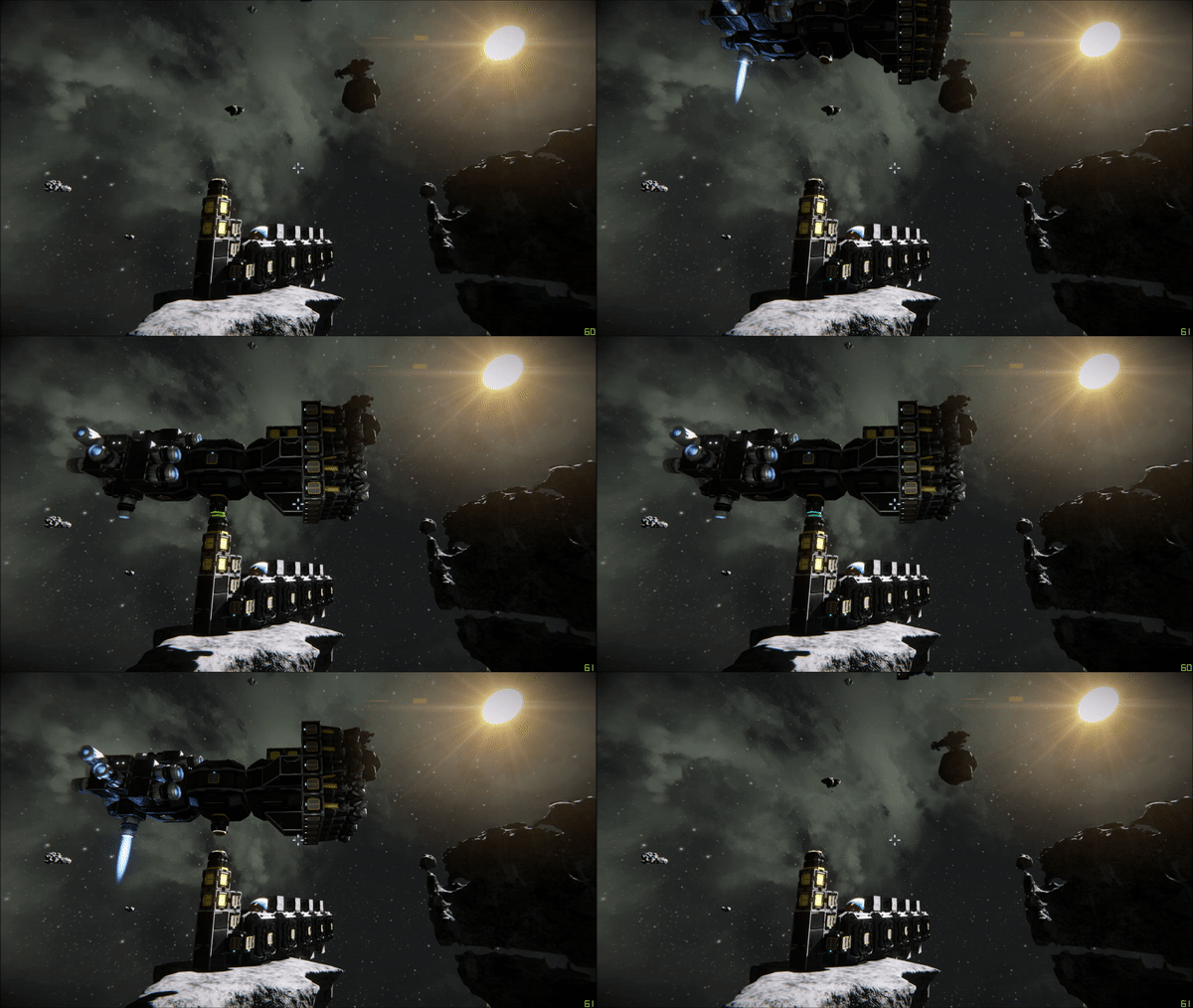
A Space Engineers Programmable Block Script for automated docking/undocking of ships with advanced features.
From Space Engineers Official Steam Page: "Space Engineers is a sandbox game about engineering, construction, exploration and survival in space and on planets. Players build space ships, space stations, planetary outposts of various sizes and uses, pilot ships and travel through space to explore planets and gather resources to survive." Space Engineers features a programmable block which offers opportunities for automation or ease of life task, which the script(s) here utilize to accomplish their task. These scripts are programmed in C#.
Overview & Features
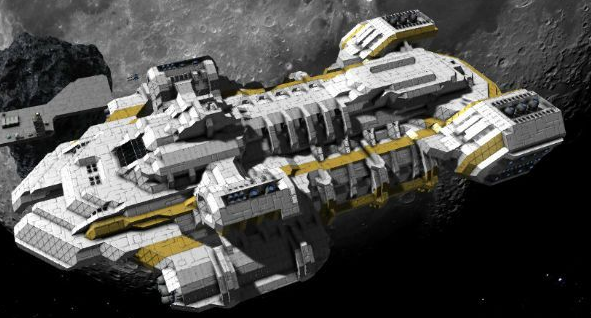
This particular script allows ships to automatically dock themselves at a "Spaceport" without any assistance from the player. Ships and stations can connect (which allows for transfer of inventory, fuel, and power) if they both of a connector and have both connectors attempt a connection when they are within proximity of one another. The script allows the user to setup different "docking connector groups", this can be used if a user wants different hangers for different spacecraft (for example, military spacecraft can be reserved to one hanger, mining drones to another, and personal exploration ships to another). Sometimes these hangers are buried deep inside of a spacestation or ship with not so straight forward paths to reach them, so this script features "pathing" which allows spacecraft to wireless receive a queue of points to travel to first before attempting to dock (damaging crashes / hilarity would ensue without this).
There is many features for adding connectors (with or without a specified group) and ensuring no duplicate ids occur, request to dock at a particular connector or connector group, if a request to dock at a specific connector group that is already full is received, wait until a connector from the group is free (placing the request into a 'Docking Que') and then send an update back to the request granting it permission to dock, also ensure only one ship is using a particular path at a time to avoid collisions, automated antenna management (only one message can be sent per ingame 'tick', if multiple are needed to be sent, then the rest of the messages are simply added to a 'Messague Que'). The most advanced feature (in my opinion), is that the spaceport is able to mobile, this means all stored coordinates for group pathing must be translated back and forth from relative to world coordinates with respect to both position and orientation, which takes a fair bit of math of accomplish.
For more Information of the math and code behind this project: here
A modified A* pathfinding algorithm for a more erratic looking behavior (a classic case of 'bug-turned-into-feature'). Utilizes multithreading and complex data structures to maximize performance.
By utilizing a binary heap in our A* algorithm, running the pathfinding calculations on a seperate thread, and dividing the standard workload of all "seekers" across multiple threads, we can achieve extremely high performance.
Further optimization for collision checking is developed by dividing the world into a grid, "seekers" will only test for collision with other seekers in their current grid chunk and the neighboring chunks. This skyrockets performance.
A Space Engineers Programmable Block Script for automatic traversal across planets.
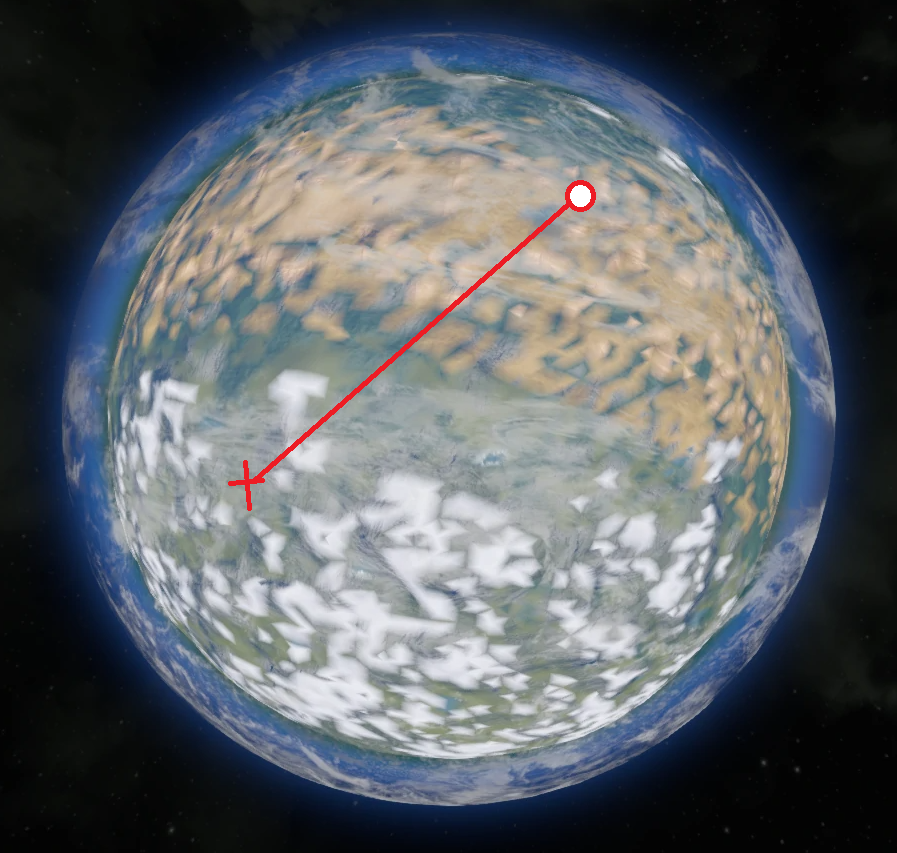
This script controls a ship's thrusters and gyroscopes so that the ship reaches any set destination on a planet. While the game does feature an already built in autopilot mechanic, it is not reliable as it does not do a great job of detecting planets or asteroids, and often runs into them. This script was made to address this flaw for planets.
Technical challenges included determining force output to maintain a target elevation, using LIDAR to avoid collosions with any obstacles or terrain, aligning the ship such that upward thrusters were aligned with gravity and forward thrusters were aligned with target destination, and more.
A Space Engineers Programmable Block Script for intergrid communication using laser antennas.
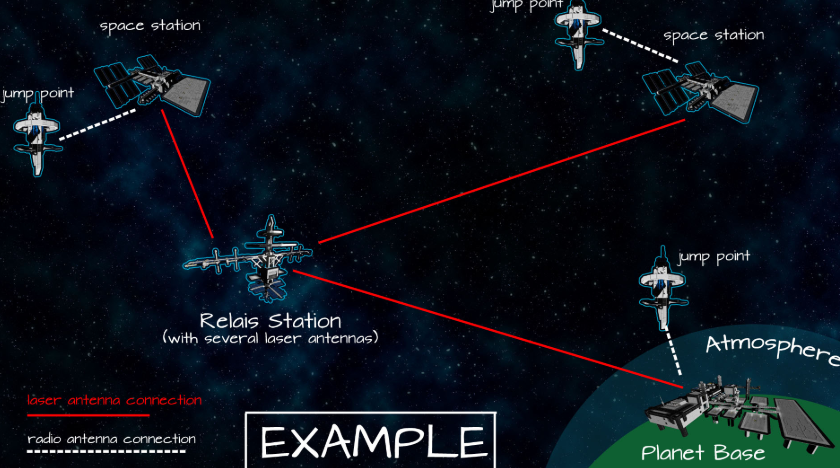
Intergrid communication can take place with normal antennas, however in doing so they transmit their location to not just you. Other players (who may not be so friendly) and hostile AI can see the location of the antenna if they are within range. For short range intergrid communcations, this is not an issue, however at medium-to-large ranges it is. Laser antennas allow for safe intergrid communcation, at the cost of complexity.
This script allows the user to setup a laser antenna communication network, utilizing a single laser antenna at each station and connecting them to various 'hubs' throughout space, communication using laser antennas is made easy. We can either send messages to all stations (such as an alert if a station is under attack, and specifying which station it is), or just a single station (such as "Send ship x to these provided coordinates").
This script is advanced and designed for use by myself and other scripters, and may be difficult to use for non-scripters.
A Space Engineers Programmable Block Script for automated safe travelling between two points.
In Space Engineers, there can be a lot of travelling from one asteroid or spacestation to the next. A regular annoyance with this task is that since the game is entirely physics based, you usually either A. stop/slow down too early and then have to keep inching your way towards your destination, or B. You attempt to slow down too late, resulting in potentially extremely dangerous crashes.
Utilizing the camera block's raycast functionality, we can input our position in space, the position of where were we want to go, the ship's mass, and the amount of thrust (in force (N)) pointed backwards; and using vector analysis and basic physics, we can calculate exactly when the ship should start slowing down. Saving time without compromising safety.
For more Information of the math and code behind this project: here
The original snake game recreated in Java, but with two players! This was my final project in my game design class, everyone (including our Professor) played each other's final projects during our "final exam", and the class voted my game 2nd best out of all! Very simple process turned fun.
Once the user points the camera block at the desired travel location, the script will raycast from the camera to return the first object it hits (usually an asteroid or spacestation). We use this object's coordinate to create a unit vector, the first step is the denominator of the dot product for each of the x, y, and z planes:
In order to perform automated docking, we first need to find the coordinates where to send our ship. This is accomplished simply taking our docking connector's world coordinates and adding some multiple of its facing unit vector.
Once the ship has reached its assigned destination, we use linear algebra to adjust the ship's gyroscopes to point the ship in the same direction as our docking connector:
void ApplyGyroOverride(double pitch_speed, double yaw_speed, double roll_speed, List gyro_list, IMyTerminalBlock reference)
{
	var rotationVec = new Vector3D(-pitch_speed, yaw_speed, roll_speed); //because keen does some weird stuff with signs
	var shipMatrix = reference.WorldMatrix;
	var relativeRotationVec = Vector3D.TransformNormal(rotationVec, shipMatrix);
	foreach (var thisGyro in gyro_list)
	{
		var gyroMatrix = thisGyro.WorldMatrix;
		var transformedRotationVec = Vector3D.TransformNormal(relativeRotationVec, Matrix.Transpose(gyroMatrix));
		thisGyro.Pitch = (float)transformedRotationVec.X;
		thisGyro.Yaw = (float)transformedRotationVec.Y;
		thisGyro.Roll = (float)transformedRotationVec.Z;
		thisGyro.GyroOverride = true;
	}
}
We test for proper alignment by:
void GetRotationAngles(Vector3D targetVector, IMyTerminalBlock reference, out double yaw, out double pitch)
{
	var localTargetVector = Vector3D.TransformNormal(targetVector, MatrixD.Transpose(reference.WorldMatrix));
	var flattenedTargetVector = new Vector3D(localTargetVector.X, 0, localTargetVector.Z);

	yaw = VectorAngleBetween(Vector3D.Forward, flattenedTargetVector) * Math.Sign(localTargetVector.X); //right is positive
	if (Math.Abs(yaw) < 1E-6 && localTargetVector.Z > 0) //check for straight back case
		yaw = Math.PI;

	if (Vector3D.IsZero(flattenedTargetVector)) //check for straight up case
		pitch = MathHelper.PiOver2 * Math.Sign(localTargetVector.Y);
	else
		pitch = VectorAngleBetween(localTargetVector, flattenedTargetVector) * Math.Sign(localTargetVector.Y); //up is positive
}
If the values returned are very small ( > .01), then we find the closest point on the docking connector's unit vector from our ship using the dot product
If this returned distance is greather than 0.35m. We run into through a function that takes in each thruster group's facing unit vector to determine which thrusters need to be activated:
We repeat our previous distance test and repeat this process until the returned distance is less than (or equal to) to 0.35m. Once this condition is satisifed, we activate the backward facing thrusters and slowly move the ship backward into position. We test for connectability by
 if (connector.Status == MyShipConnectorStatus.Connectable)
	connector.Connect()
Intergrid Communication
Intergrid communciation between the ship is accomplished via the game's antenna block antenna.TransmitMessage(String str). This method of communication is known as message passing, which means once we transmit our data we have to be able to parse through it. The simplified code for this looks like:
if (!String.IsNullOrEmpty(argument)) {
	Echo("Argument: " + argument);
	string[] info = argument.Split(new string[] { "," }, StringSplitOptions.None);
	if (info[0].ToLower() == "dock"){
		dockingConnectorPos = Vector3D.tryParse(info[1])
		//perform docking
	}
	else if (info[1].ToLower() == "wait"){
		//tell the ship thats it's docking request was received
		//and wait for further instructions
	}
	else if (info[1].ToLower() == "stop"){
		//tell the ship to perform an emergency stop
	}
}
The script was designed to handle multiple ships supporting multiple 'hangers'. Some sometimes ship's must wait for another ship to finish docking before it can safely dock itself, once it is safe to dock, an update is broadcasted with the antenna to notify the ship that it is it's turn to dock.
Contact
Feel free to contact if you believe I would be a good fit for any position in your organization.
This is bold and this is strong. This is italic and this is emphasized.
This is superscript text and this is subscript text.
This is underlined and this is code: for (;;) { ... }. Finally, this is a link.
Heading Level 2
Heading Level 3
Heading Level 4
Heading Level 5
Heading Level 6
Blockquote
Fringilla nisl. Donec accumsan interdum nisi, quis tincidunt felis sagittis eget tempus euismod. Vestibulum ante ipsum primis in faucibus vestibulum. Blandit adipiscing eu felis iaculis volutpat ac adipiscing accumsan faucibus. Vestibulum ante ipsum primis in faucibus lorem ipsum dolor sit amet nullam adipiscing eu felis.
Preformatted
i = 0;

while (!deck.isInOrder()) {
    print 'Iteration ' + i;
    deck.shuffle();
    i++;
}

print 'It took ' + i + ' iterations to sort the deck.';